Creating a HAL Account Online
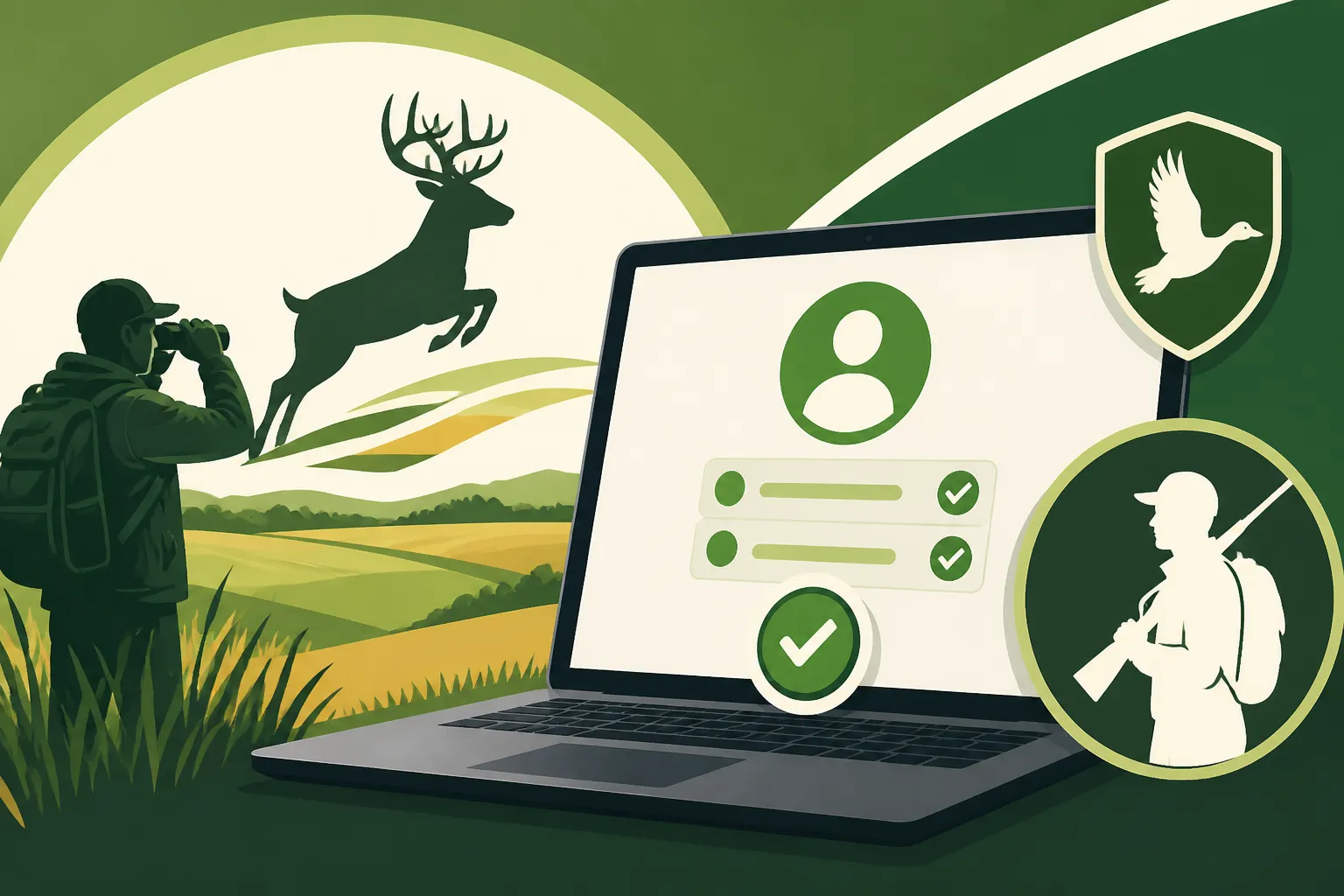
Trying to figure out government online systems can feel like a real chore, can't it? Especially when all you want to do is get ready for hunting season, but you're faced with login screens, forgotten passwords, and new account setups. If you've ever felt that familiar pang of frustration when trying to manage your hunting licenses, you're not alone. This guide is here to walk you through the process of creating your Saskatchewan HAL (Hunter and Angler Licensing) account online, making it as smooth and stress-free as possible so you can get back to scouting and planning your next adventure.
Understanding the Saskatchewan HAL Account System
Before we dive into the nitty-gritty of clicking buttons and filling out forms, let's take a moment to understand what the Saskatchewan HAL account actually is and why it's so important for anyone looking to hunt or fish in the province. It's more than just a place to buy a license; it's your central hub for all things related to your outdoor pursuits in Saskatchewan.
What Exactly is a HAL Account?
At its core, a HAL account is your personal profile within the Saskatchewan Ministry of Environment's online licensing system. Think of it as your digital wallet and record book for all your hunting and fishing activities. Every resident and non-resident hunter or angler needs one to legally purchase licenses, apply for draws, and manage their permits. It links your identity to your hunter education history, previous license purchases, and even your participation in things like the big game draws.
This centralized system was introduced to streamline the process, moving away from paper forms and disparate records. It allows the Ministry to keep track of participation, manage quotas, and ensure that everyone engaging in hunting and fishing has met the necessary requirements, such as completing hunter education. It’s also crucial for conservation efforts, as the data collected helps manage wildlife populations and habitat.
For example, when you apply for something like the coveted Saskatchewan's Big Game Draw, your HAL account ensures all your information, including your past draw history and priority pool status, is correctly linked. It’s designed to create a comprehensive record, replacing the old system where paper licences often left gaps in a hunter's history.
Why an Online System Can Be Tricky
Let's be honest, dealing with any new online system, especially one run by the government, can be a headache. You might be a seasoned hunter who's used to buying a paper license at a vendor, and suddenly, you're expected to navigate websites, remember new passwords, and input personal information into digital forms. It's a shift, and it often comes with frustrations.
Common complaints often include forgotten passwords, confusing navigation, or technical glitches that seem to pop up at the worst possible time – usually right before a draw deadline or opening day. It can feel impersonal and overly complicated when all you want to do is get out into the bush or onto the lake. Many hunters just want to pick up a license and go, not spend an hour trying to remember if they used their hunting ID or their driver's license number as their primary identifier.
However, understanding that these systems are designed for long-term efficiency and data collection can help temper some of that frustration. While it might be a hurdle to get set up initially, once your HAL account is active and you're familiar with it, managing your licences and applications becomes much simpler year after year. It's an investment of your time now that pays off in convenience later.
The Benefits of a Centralized Licensing System
Despite the initial learning curve, the HAL system offers significant benefits for hunters, anglers, and conservation alike. For starters, it brings all your licensing needs into one convenient digital location. No more rummaging through old wallets for a paper license or worrying about losing a physical tag. Everything is tied to your account, accessible from any device with an internet connection.
This centralization also greatly streamlines the application process for special draws, like those for antlerless deer or moose. When you're thinking about Saskatchewan Elk and Moose Draws, having your HAL account in order is the first critical step. Your historical data, including your draw priority pool information, is automatically managed, which is particularly important for species that require a draw to hunt. It helps the Ministry ensure fair and accurate allocations.
Furthermore, the data collected through the HAL system provides invaluable insights for wildlife management. By tracking license sales, draw applications, and even harvest reporting, the Ministry can make informed decisions about bag limits, season dates, and conservation initiatives. It’s a direct link between your participation and the health of Saskatchewan’s wildlife populations, reinforcing that your license fees contribute directly to the resources you enjoy.
Step-by-Step Guide to Creating Your New HAL Account
Alright, let's get down to brass tacks. Creating your HAL account online doesn't have to be a nightmare. By gathering your information beforehand and following these steps, you'll be set up in no time.
Gathering Your Essentials
Before you even open your web browser, take a moment to collect all the necessary information. This pre-work will save you a lot of backtracking and frustration. Trust me, there's nothing worse than getting halfway through a form only to realize you need to go dig up a document.
Here's a checklist of what you'll likely need:
- Saskatchewan Health Card (if resident): This often serves as a primary identifier.
- Driver's License or other Government-Issued ID: Again, for identity verification.
- Social Insurance Number (SIN) (if resident): This is typically required for Saskatchewan residents for certain government services, including potentially linking to historical records.
- Previous Saskatchewan Hunter/Angler ID (if you had one): If you've hunted or fished in Saskatchewan before, even with old paper licenses, you might have an existing ID number that the system can use to find your past records. This is super helpful for linking existing hunter education courses or draw priority.
- A Valid Email Address: This is crucial for account verification and receiving important notifications.
- Payment Information (optional, but good to have ready): While you're not buying a license yet, having your credit card handy can speed things up if you decide to purchase immediately after creating your account.
Having these details at your fingertips ensures a smooth, uninterrupted process. Think of it like packing your hunting vest before heading out – you don't want to realize you forgot your calls when you're already in the stand!
Navigating the Saskatchewan Environment Website
The first step is actually finding the right corner of the internet. The Saskatchewan HAL system is part of the provincial government's Ministry of Environment website. You don't want to just Google "Saskatchewan hunting licenses" and click on the first link; sometimes those lead to old pages or third-party sites.
The best way to get there is to directly visit the Saskatchewan Ministry of Environment's official website or search specifically for "Saskatchewan HAL system login." Look for URLs that clearly indicate they are part of the saskatchewan.ca domain. Once you're on the main Environment page, you'll typically find a prominent link for "Hunting, Angling and Trapping" or "Buy a License Online." Click that, and it should lead you to the HAL login/registration page.
Upon arrival, you'll likely see options for "Login" or "Create Account." Since we're making a new one, you'll want to select the "Create Account" or "Register Now" option. Don't be intimidated by the number of fields; just take it one step at a time. The system is fairly intuitive once you get going.
Filling Out the Registration Form
This is where your pre-gathered information comes in handy. The registration form will ask for a series of personal details to establish your identity and create your unique profile.
Expect to input information such as:
- Full Name and Date of Birth: Standard identification.
- Residential Address and Contact Information: Including your phone number and, of course, that email address you gathered.
- Proof of Residency: If you're a Saskatchewan resident, you'll be asked for information like your Health Card number or Driver's License number to confirm your residency status. This is important as resident and non-resident licenses and draw eligibility differ significantly.
- Previous Hunter/Angler ID: If you have an old ID number, this is the time to enter it. The system will attempt to match it to existing records, which is crucial for carrying over your hunter education status or draw priority. Don't sweat it if you don't have one; the system can still create a new profile for you.
- Security Questions: You'll be prompted to choose and answer a few security questions. Pick answers you can easily remember but that aren't too obvious to others. These are vital for account recovery if you ever forget your password.
Take your time filling out each field. Double-check for typos, especially with your name and date of birth, as inaccuracies can cause issues down the line when trying to purchase licenses. The GoHunt platform, for instance, emphasizes accurate profile data for effective trip planning, and the same principle applies here – good data in, good experience out.
Verifying Your Account and Logging In
Once you've completed all the required fields and submitted the registration form, the system will usually send an account verification email to the address you provided. This is a critical step, so check your inbox (and your spam folder, just in case!).
Open the email and click the verification link. This confirms that your email address is valid and activates your HAL account. Once verified, you can return to the HAL login page and use the username (often your email address or a system-generated ID) and password you created during registration to log in for the first time.
Upon successful login, you'll typically land on your HAL account dashboard. This dashboard is your command center. Here, you'll be able to see your profile information, access your hunter education status, view your past licenses, and see options for purchasing new licenses or applying for draws. Take a moment to familiarize yourself with the layout. It's often where you'll go to check things like When Saskatchewan Licences Expire or to see your current draw applications.
Troubleshooting Common HAL Account Creation Issues
Even with the best intentions and careful steps, sometimes technology throws us a curveball. Don't panic if you hit a snag; these are common issues, and there are ways to work through them.
Dealing with Forgotten IDs and Passwords
This is probably the most common headache for any online system. You swear you remember your password, but the system says no. Or perhaps you can't remember if your username was your email, your old hunter ID, or something else entirely.
If you can't remember your password, look for a "Forgot Password" or "Reset Password" link on the login page. This will typically ask you to enter your username (often your email) and then guide you through verifying your identity, usually by answering those security questions you set up earlier or by sending a reset link to your registered email. This is why choosing memorable, yet secure, answers for those questions is so important.
If you can't remember your username or if the system insists you don't have an account, but you're sure you registered, the best course of action is to contact the Saskatchewan Ministry of Environment's client support. They have the ability to look up your information using other identifiers like your name and date of birth and help you retrieve your account details or merge duplicate accounts.
When the System Says You Already Have an Account
It's a frustrating loop: you try to create an account, and the system tells you that a profile already exists for your information. This usually happens if you've hunted or fished in Saskatchewan before, even years ago, and the system has linked your current identifying information (like your Health Card or Driver's License) to an older record.
The good news is that this means your previous hunting history and potentially your hunter education certification are likely already in the system. The challenge is accessing that existing account. In this scenario, try the "Forgot Password" option with any email address you might have used previously. If that doesn't work, contact Ministry of Environment client support. They can search for your existing account using your name, date of birth, and other identifiers, and then help you gain access or reset the password. Sometimes, older records might need a manual link to your new contact information.
Navigating Technical Glitches
Online systems, even robust ones, can sometimes have technical hiccups. Maybe the page won't load, a button isn't responding, or you're getting an error message that makes no sense.
Here are a few common tech troubleshooting tips:
- Try a Different Browser: Sometimes a specific browser (like an outdated Internet Explorer or a heavily customized Chrome) can cause issues. Try switching to a different browser like Firefox, Edge, or Safari.
- Clear Your Browser Cache and Cookies: Old cached data can sometimes interfere with how websites load. Go into your browser settings and clear your cache and cookies, then try again.
- Use a Different Device: If you're on your phone, try a desktop computer, or vice-versa. Sometimes device-specific settings or operating systems can cause minor compatibility issues.
- Check Your Internet Connection: A weak or unstable internet connection can lead to incomplete page loads and errors.
- Wait and Try Again: If it seems like a system-wide issue, sometimes waiting an hour or two and trying again is the simplest solution. Government websites can experience high traffic during peak periods like draw deadlines.
- Contact Support: If all else fails, the Ministry of Environment's client support team is there to help with technical issues.
Remember, patience is key. These systems are designed to handle a lot of traffic and data, but they aren't flawless.
What to Do If You Don't Have a Saskatchewan ID
If you're a non-resident or a new resident who doesn't yet have a Saskatchewan Health Card or Driver's License, don't worry – you can still create a HAL account. The system is designed to accommodate various forms of identification.
For non-residents, you will typically use your passport information, driver's license from your home province/state, and other national identification numbers. The prompts in the "Create Account" section will guide you through which alternative forms of ID are acceptable. Just make sure to have those documents readily available, just like a resident would have their local IDs. For non-residents, the key is consistency with the identification you'd use at the border or for any other official purpose.
It's important to note that non-residents often require an outfitter for big game hunting in Saskatchewan. This guide focuses on the HAL account itself, but for comprehensive information, you might check out resources like Rules for Non-Residents Hunting Saskatchewan. The GoHunt platform is also an excellent resource for non-residents, offering detailed scouting and planning tools that can supplement the information you get from your HAL account, especially when planning a trip from afar.
Linking Your Hunter Education and Previous Licenses
Once your HAL account is created and you've successfully logged in, the next crucial step is to ensure that all your past hunting history, especially your hunter education certification, is correctly linked to your new profile. This isn't just a formality; it's a legal requirement and essential for purchasing most hunting licenses.
Ensuring Your Hunter Education is Recorded
Hunter education is mandatory for most first-time hunters in Saskatchewan, and proof of completion must be on file to purchase a hunting license. When you create a new HAL account, the system will attempt to automatically link your hunter education certificate if you provided a previous Hunter/Angler ID or if your personal details (name, date of birth) perfectly match a record in their database.
You can check the status of your hunter education directly on your HAL dashboard. There should be a section clearly indicating if your hunter education is verified. If it's not showing up, or if it says "pending" or "not found," there are a few reasons why:
- Mismatch in Records: Your name or date of birth might be slightly different on your certificate than what you entered in your HAL account.
- Older Certificates: If you took your course many years ago, the records might not have been digitized yet.
- Course Taken in Another Jurisdiction: If you completed your hunter education in another Canadian province or US state, you might need to submit proof of that course to the Saskatchewan Ministry of Environment to have it recognized.
If your hunter education isn't showing up, you'll need to contact the Ministry of Environment client support. They can guide you through the process of manually adding your certification to your profile, which may involve emailing them a copy of your certificate. This step is non-negotiable for anyone looking to hunt. For more details on this, you can refer to Saskatchewan Hunter Education Requirements.
Importing Past Hunting History
Beyond just hunter education, your HAL account is designed to be a comprehensive record of your hunting and fishing activities. If you've previously purchased licenses or applied for draws in Saskatchewan, the system should ideally link these past records to your new account. This history can be important for tracking your draw priority for limited entry species.
For instance, understanding How Saskatchewan's Priority Pools Work is vital for drawing certain tags, and that priority is tied directly to your past applications within the system. If your past records aren't appearing after you've created your account, it's often due to a slight discrepancy in the personal information used to create your old records versus your new HAL profile.
Again, the solution here usually involves contacting Ministry of Environment support. They can perform a deeper search of their historical databases using various identifiers and manually merge your old records with your new HAL account. This ensures that your complete hunting profile is consolidated, giving you an accurate picture of your past activities and ensuring your draw priority is correctly maintained. It’s a bit of administrative work, but it’s crucial for long-term participation in Saskatchewan’s hunting opportunities.
Applying for the Big Game Draw
With a fully verified and linked HAL account, you're now set up for one of the most exciting parts of Saskatchewan hunting: applying for the big game draw! Whether you're hoping for a trophy moose or a prime mule deer tag, your HAL account is the gateway. The "Draws" section within your dashboard is where you'll find current draw applications, deadlines, and results.
Your HAL account tracks your eligibility, the zones you've applied for, and your crucial priority points. For instance, if you're keen on Mule Deer Hunting Saskatchewan's Prairie, you'll submit your draw application through your HAL account. Ensure all your personal details are accurate and up-to-date before applying, as errors can lead to disqualification. Make sure to pay attention to important dates like When Saskatchewan's Big Game Draw Deadline occurs each year.
The system makes it relatively straightforward to select your preferred species and zones. Just follow the prompts, and remember to submit your application before the deadline. While the HAL account itself is just the portal, it's the foundation upon which all your draw applications are built, making its accurate setup paramount for any serious big game hunter in Saskatchewan.
Summary of Required Information for HAL Account Creation
| Information Category | Details / Examples | Why It's Needed |
|---|---|---|
| Personal Identification | Full Name, Date of Birth | Basic identity verification |
| Contact Information | Residential Address, Phone Number, Valid Email Address | Communication, account verification |
| Residency Proof | Saskatchewan Health Card, Driver's License (for residents) | Determines eligibility for resident licenses and draws |
| Previous Hunter ID | Old Saskatchewan Hunter/Angler ID (if applicable) | Links past records, hunter education, draw priority |
| National ID | Social Insurance Number (SIN) for residents, Passport (for non-residents) | Government record linkage, non-resident identification |
| Security Setup | Chosen Username, Password, Security Questions/Answers | Account access and recovery |
| Payment Method | Credit Card (optional, for immediate license purchase) | For purchasing licenses once account is active |
Disclaimer
This guide is intended for informational purposes only and serves as a general overview for creating a Saskatchewan HAL account. While every effort has been made to ensure accuracy, hunting regulations and online system functionalities can change. Always refer to the official Saskatchewan Ministry of Environment website or contact their client support directly for the most current and specific information regarding licensing, regulations, and any technical assistance you may need.